Kasper: Pet Adoption App
About the project
1 / The Product
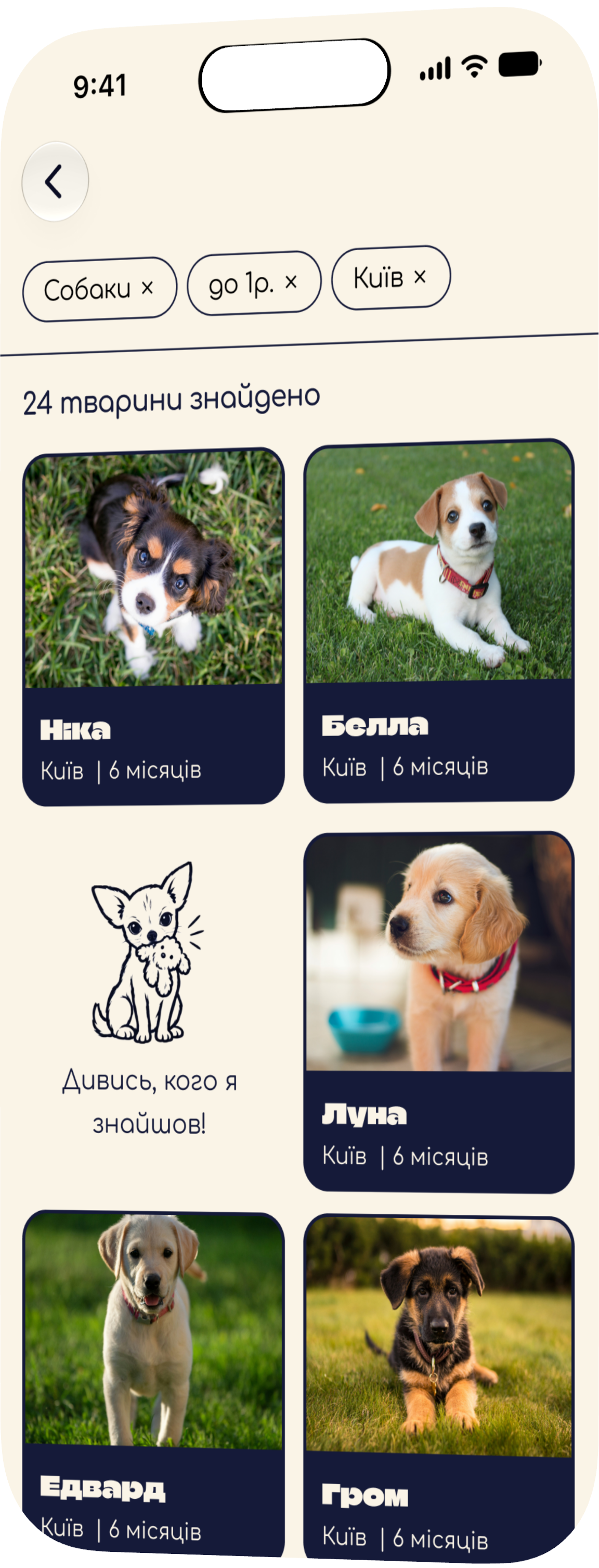
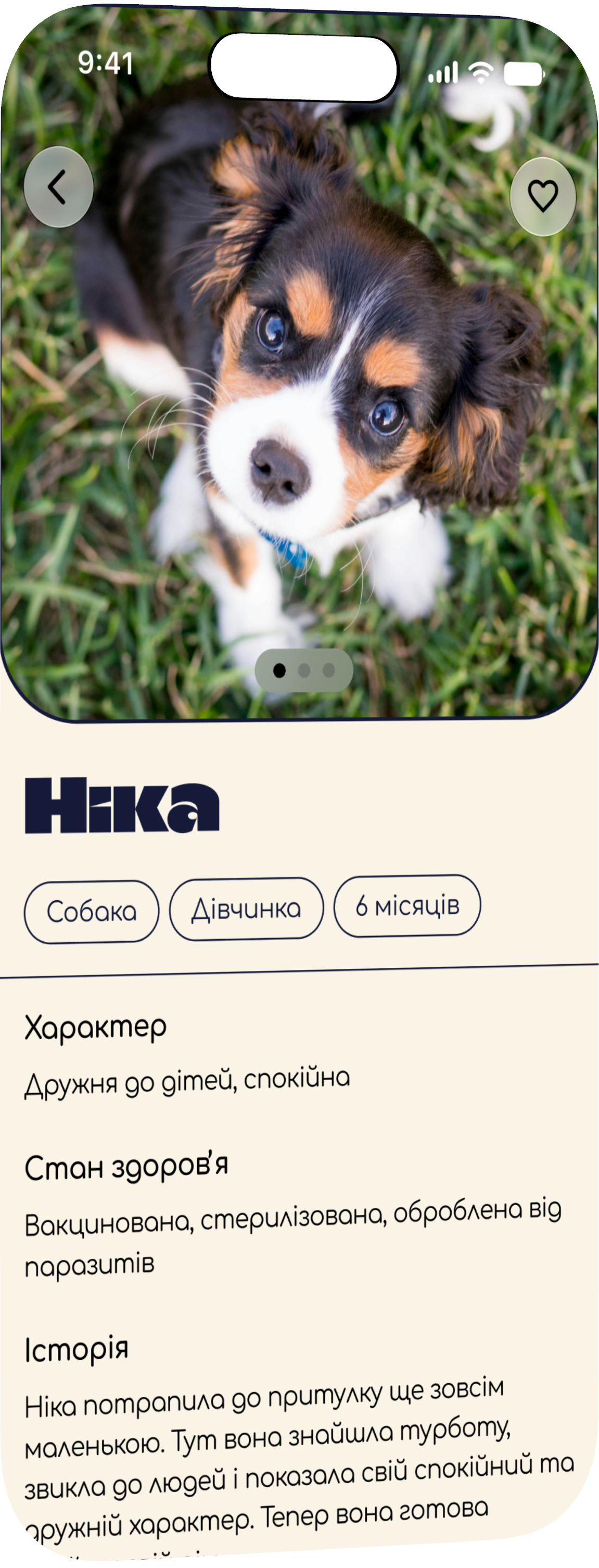
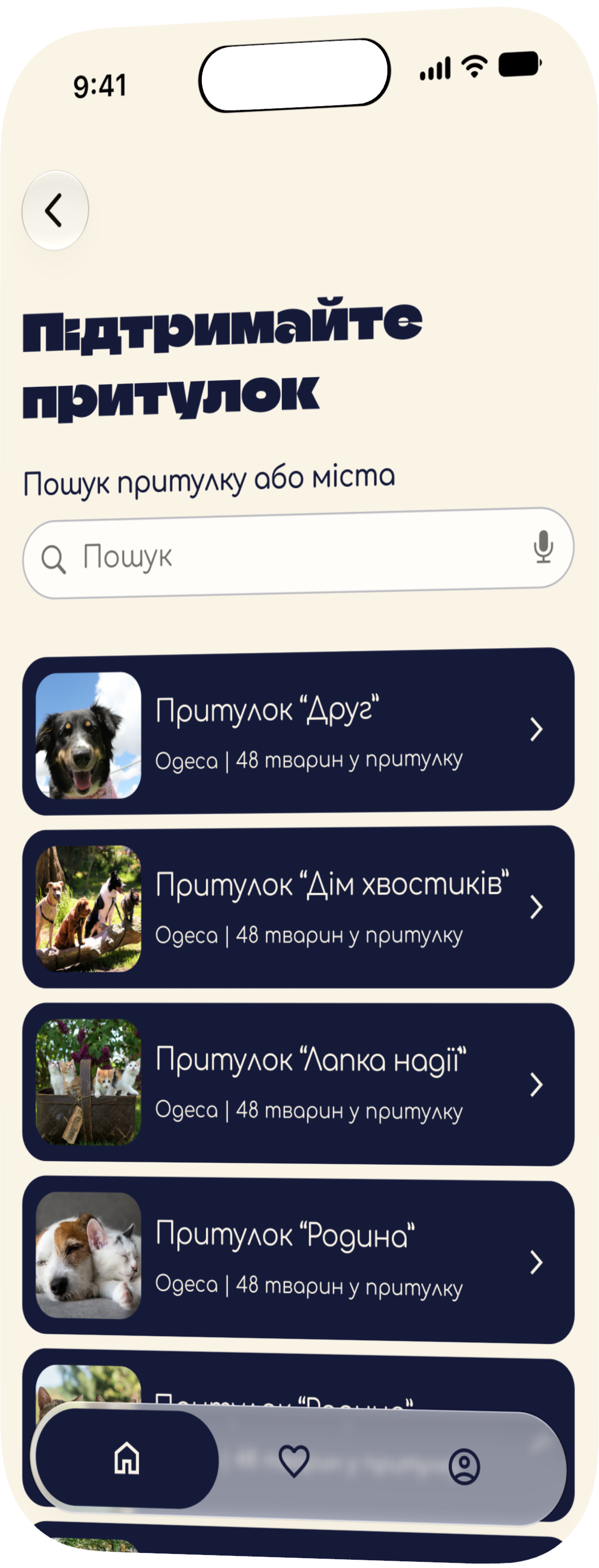
In Ukraine, information about animals in shelters is scattered across separate websites, social media pages, and Telegram channels. Many animals stay in shelters for years simply because potential owners don’t know about them. Kasper gathers animals from all shelters in one app, so people can search, learn each animal’s story, apply for adoption, or support a pet with a donation.
02 / My role
UX/UI designer on this course project at Projector. I worked from a product brief and covered the full process: briefing, user flow, wireframes, a reference concept, and the final screens.
03 / Status
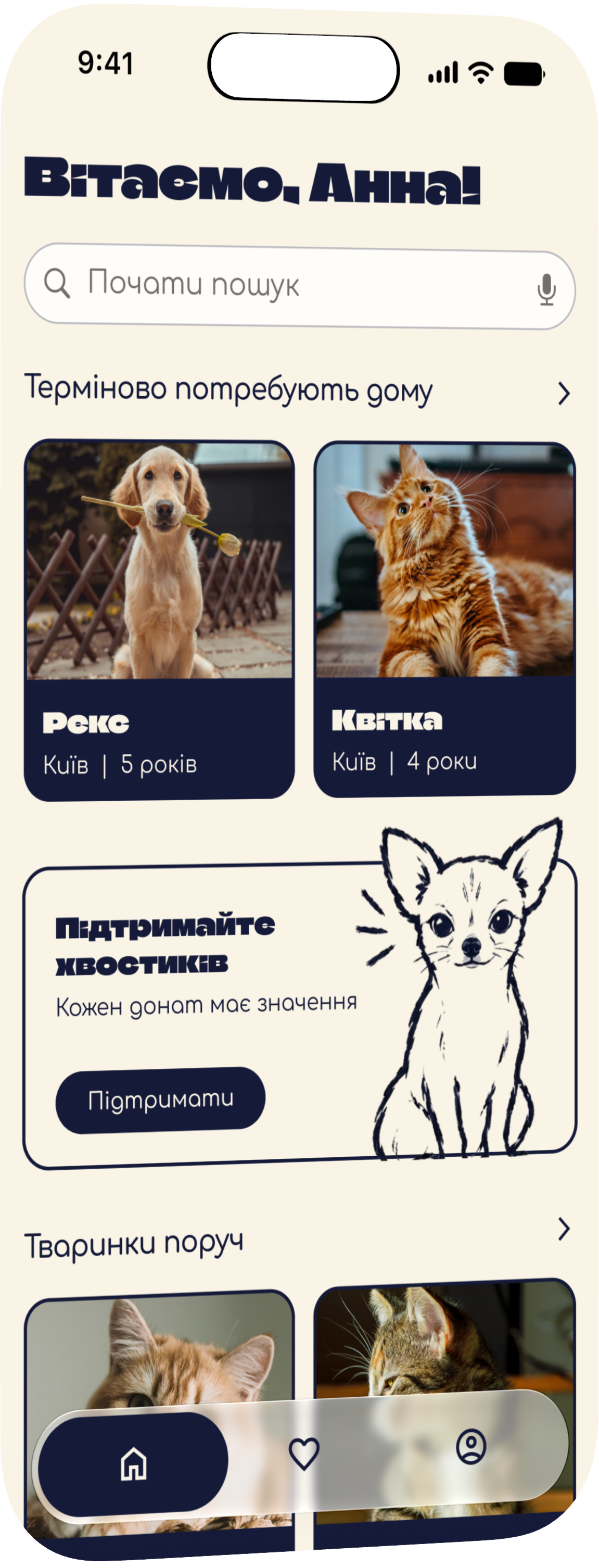
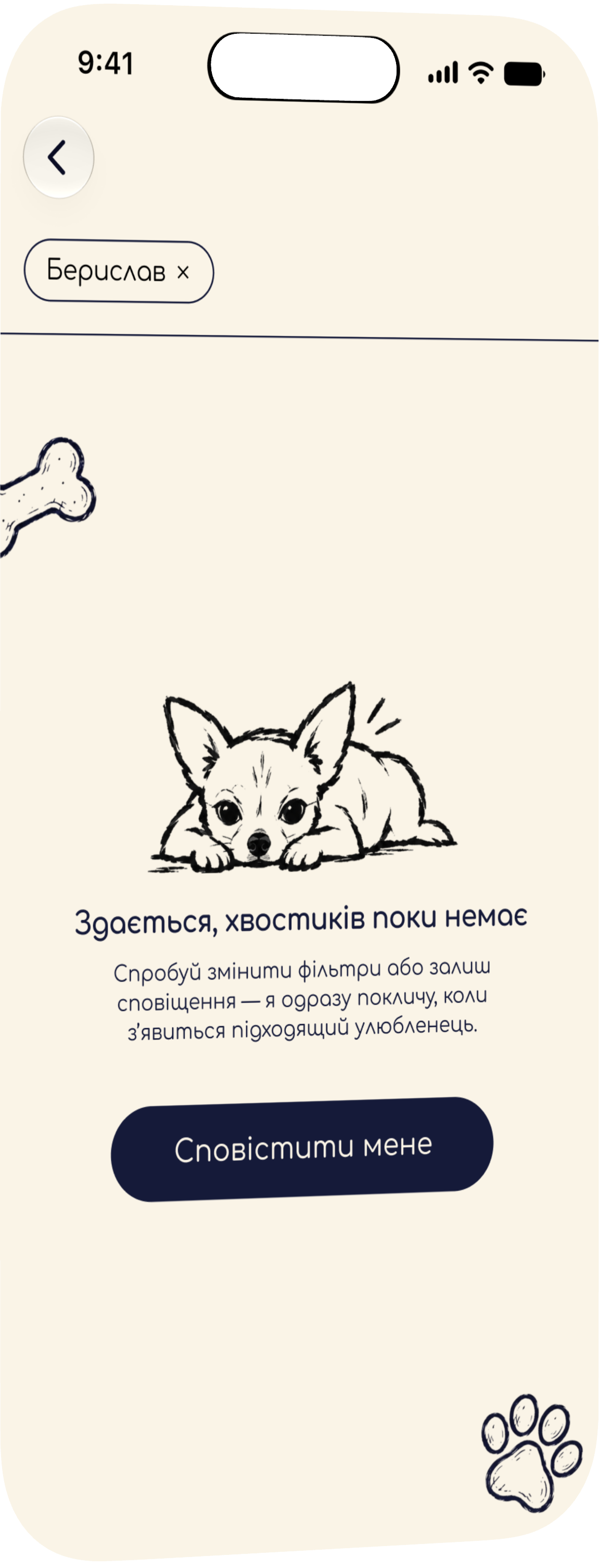
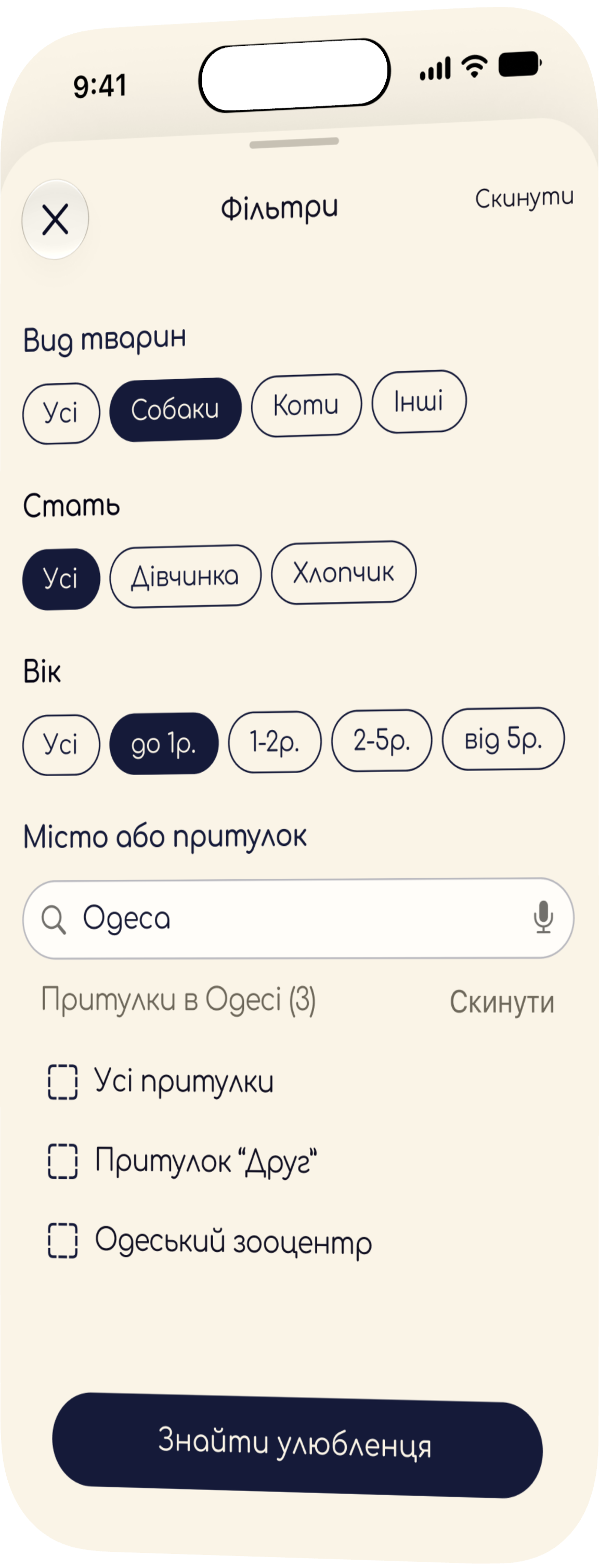
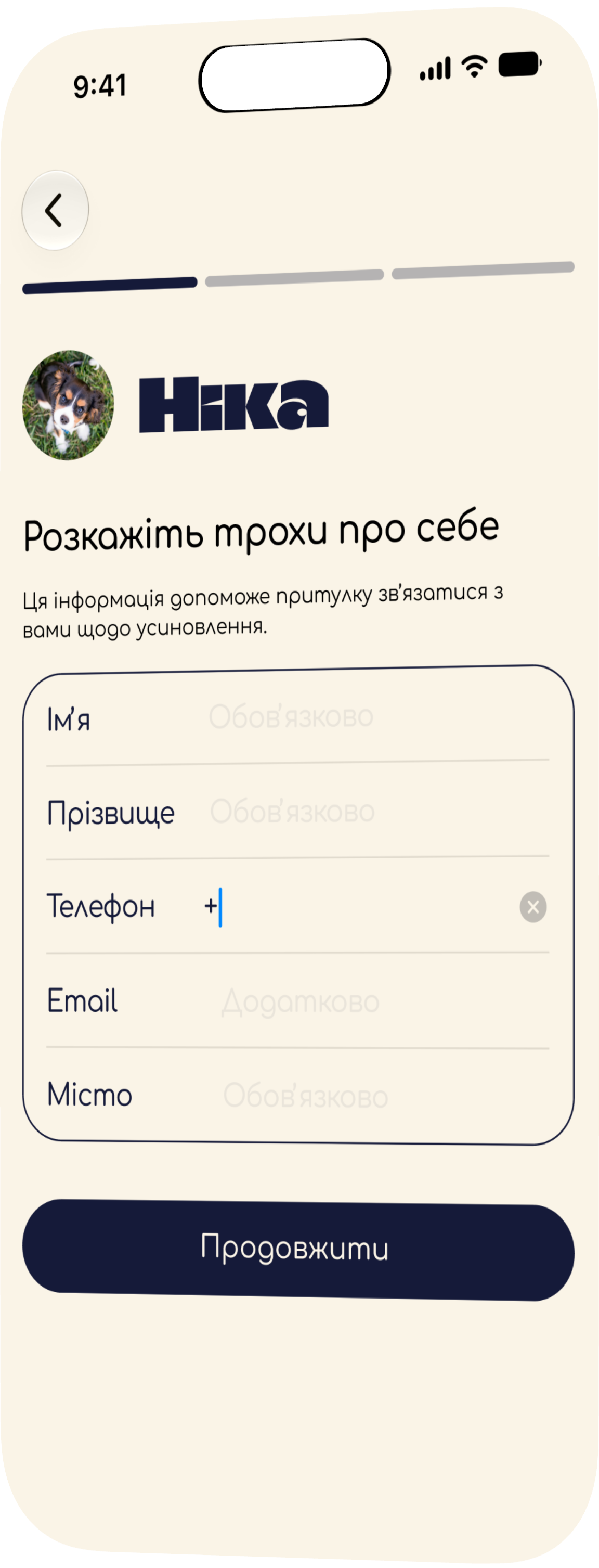
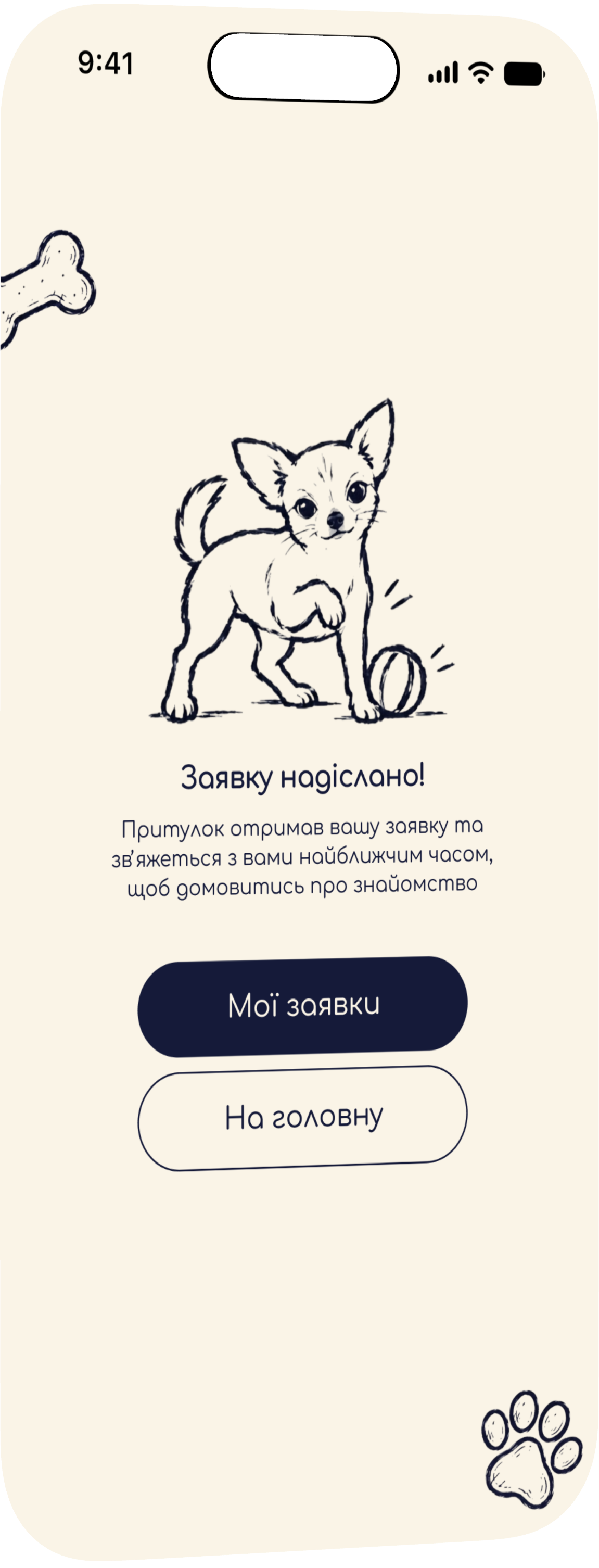
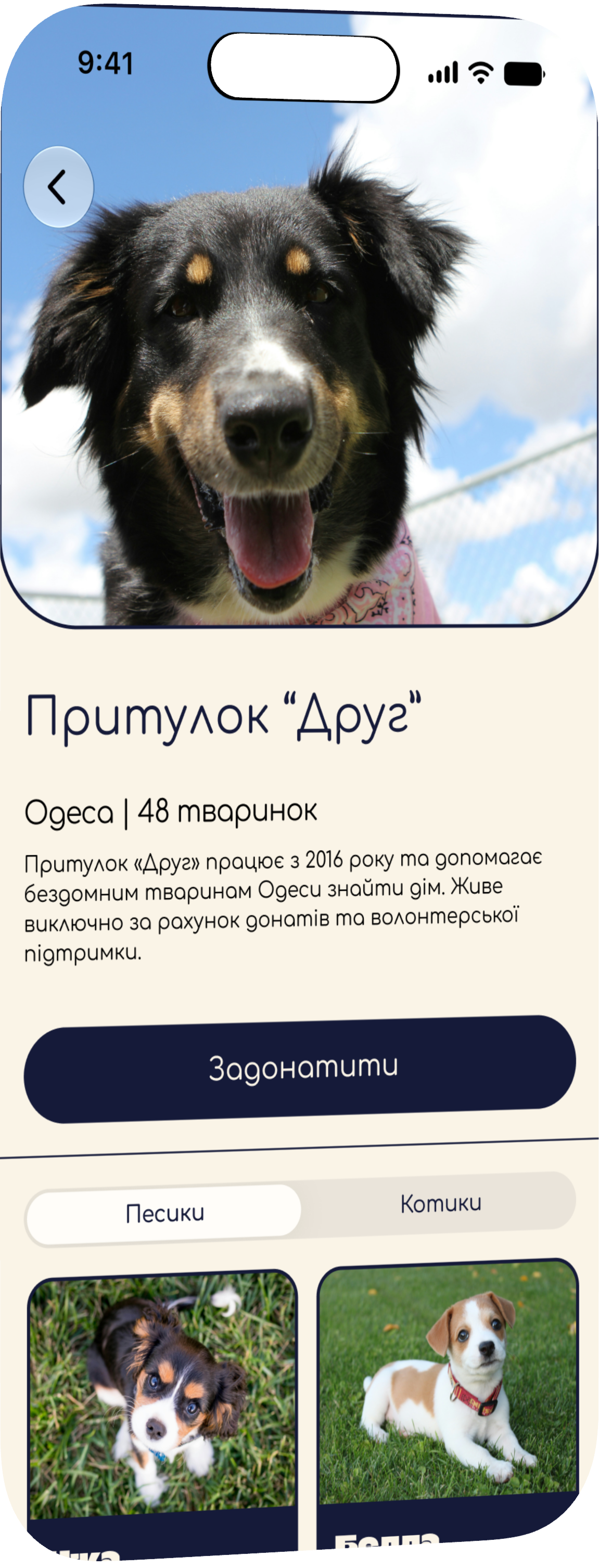
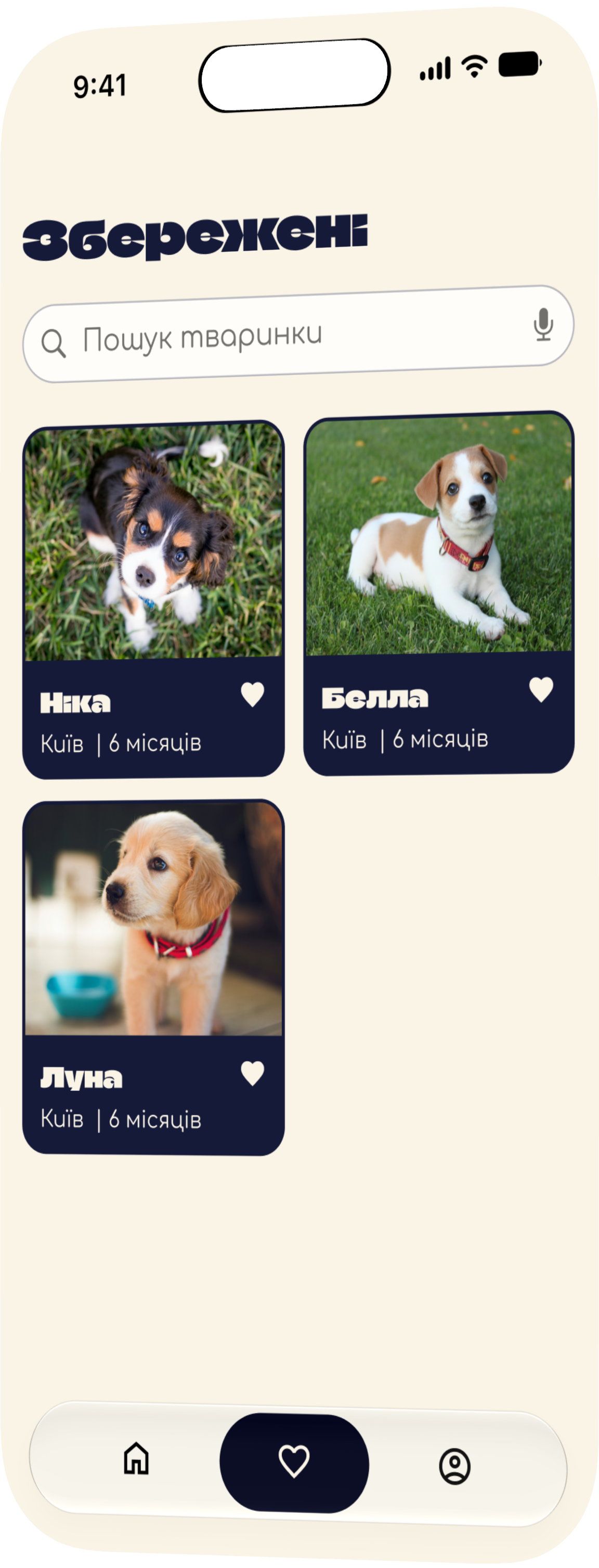
Completed. Screens covering search, filters, animal profile, adoption request, saved animals, and profile.

Behind the Design
1 / Challenges
The topic is emotional, but the product has to feel warm and welcoming, not sad. The app also has to replace many scattered sources, so searching, comparing, and applying must feel as simple as browsing a catalog, with no barriers between a person and the animal.
02 / Responsibilities
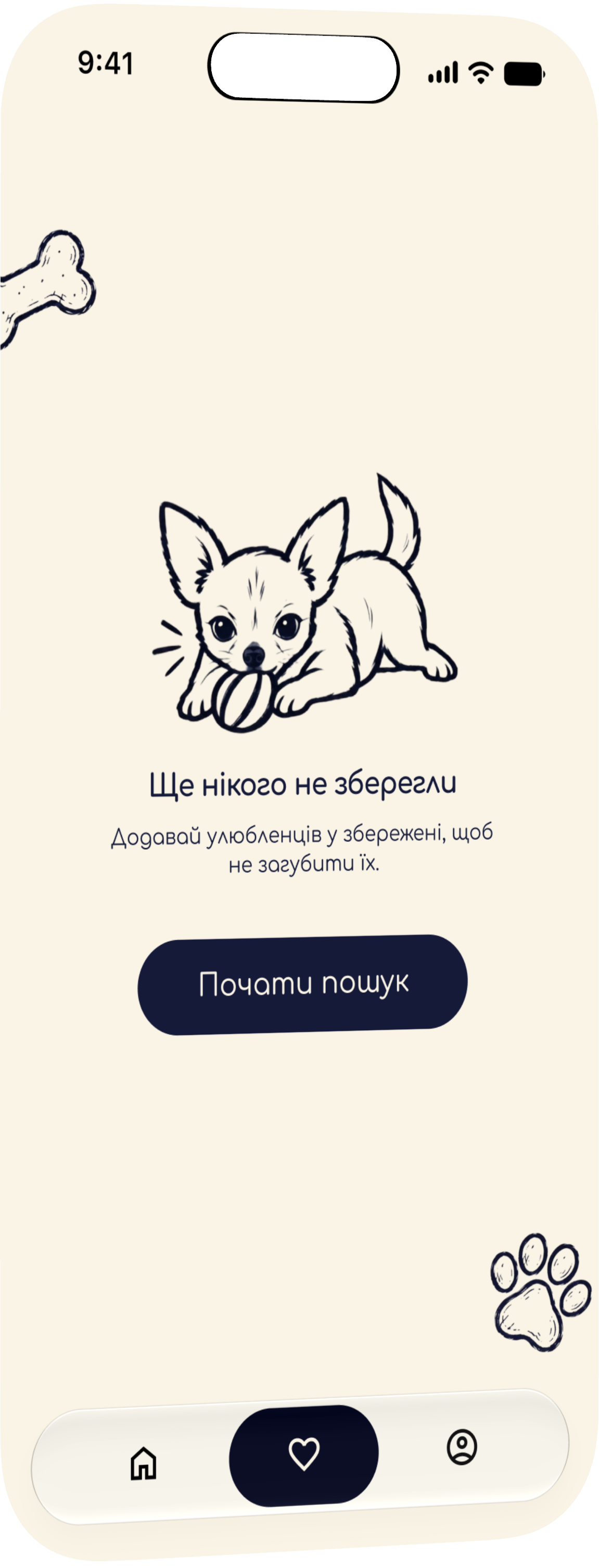
I turned the brief into a Figma briefing document, designed the user flow and wireframes, built a reference concept for the visual direction, and created the final screens, including empty and error states.
03 / My approach
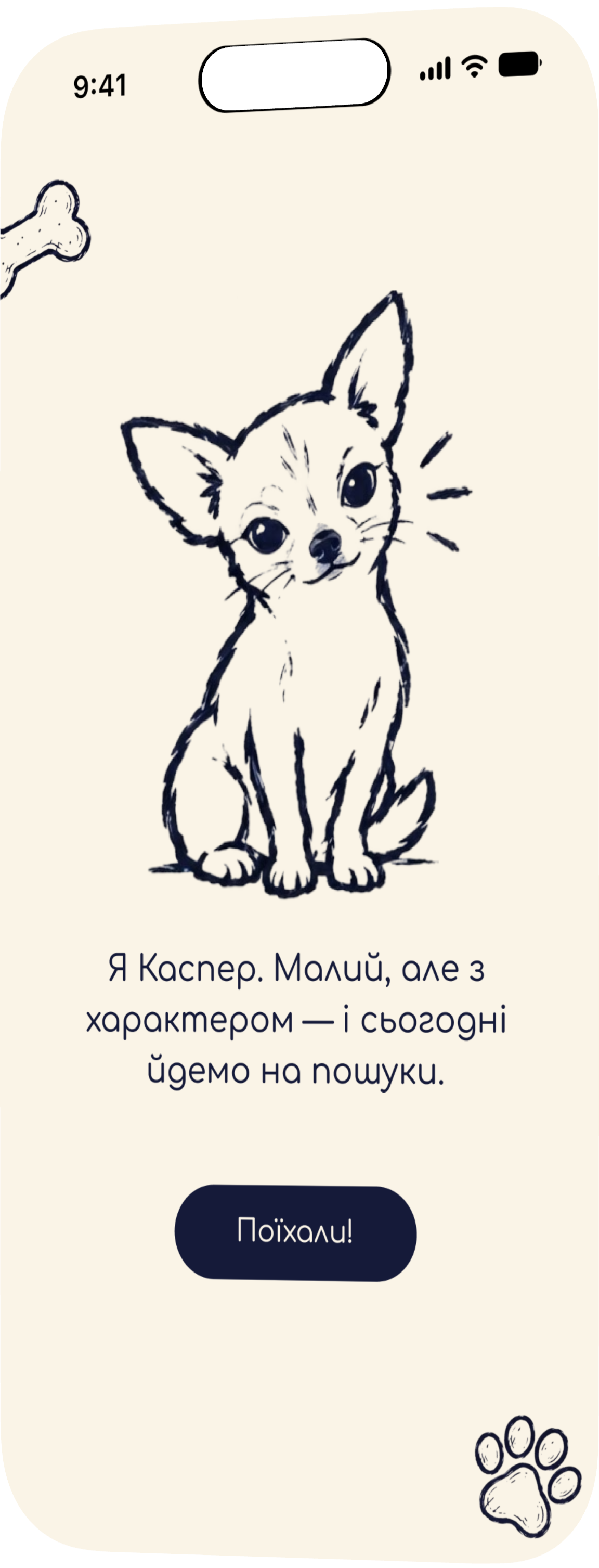
I built the experience around the main action: finding an animal and sending a request in a few taps. Warm cream colors and a character named Kasper, a chihuahua with a strong personality, bring a friendly tone from the first screen. Kasper also appears in empty states, so dead ends like “no results” feel friendly instead of cold. The idea behind the character is simple: every personality can find a home.
Kasper: Pet Adoption App
About the project
1 / The Product
In Ukraine, information about animals in shelters is scattered across separate websites, social media pages, and Telegram channels. Many animals stay in shelters for years simply because potential owners don’t know about them. Kasper gathers animals from all shelters in one app, so people can search, learn each animal’s story, apply for adoption, or support a pet with a donation.
02 / My role
UX/UI designer on this course project at Projector. I worked from a product brief and covered the full process: briefing, user flow, wireframes, a reference concept, and the final screens.
03 / Status
Completed. Screens covering search, filters, animal profile, adoption request, saved animals, and profile.
Behind the Design
1 / Challenges
The topic is emotional, but the product has to feel warm and welcoming, not sad. The app also has to replace many scattered sources, so searching, comparing, and applying must feel as simple as browsing a catalog, with no barriers between a person and the animal.
02 / Responsibilities
I turned the brief into a Figma briefing document, designed the user flow and wireframes, built a reference concept for the visual direction, and created the final screens, including empty and error states.
03 / My approach
I built the experience around the main action: finding an animal and sending a request in a few taps. Warm cream colors and a character named Kasper, a chihuahua with a strong personality, bring a friendly tone from the first screen. Kasper also appears in empty states, so dead ends like “no results” feel friendly instead of cold. The idea behind the character is simple: every personality can find a home.